Low-Ops.AI
Walkthrough

The path a technical buyer should be able to see.

Deploy a supported app, open it under SSO, inspect who owns it, and recover. The screenshots below are from the product portal. The YouTube playlist is the recorded companion — not buried in the footer.

01On the page, in order

Repository, deploy, SSO, history, recovery.

This is a sales walkthrough of a real product path, not a feature catalogue. Feature depth lives on the features page and in the documentation.

01

Start with a supported app repository

Use a containerised internal app, an AI-built prototype that follows the Low-Ops app spec, or a Mendix app from a supported template. This is the operations layer — it does not write the business solution for you.
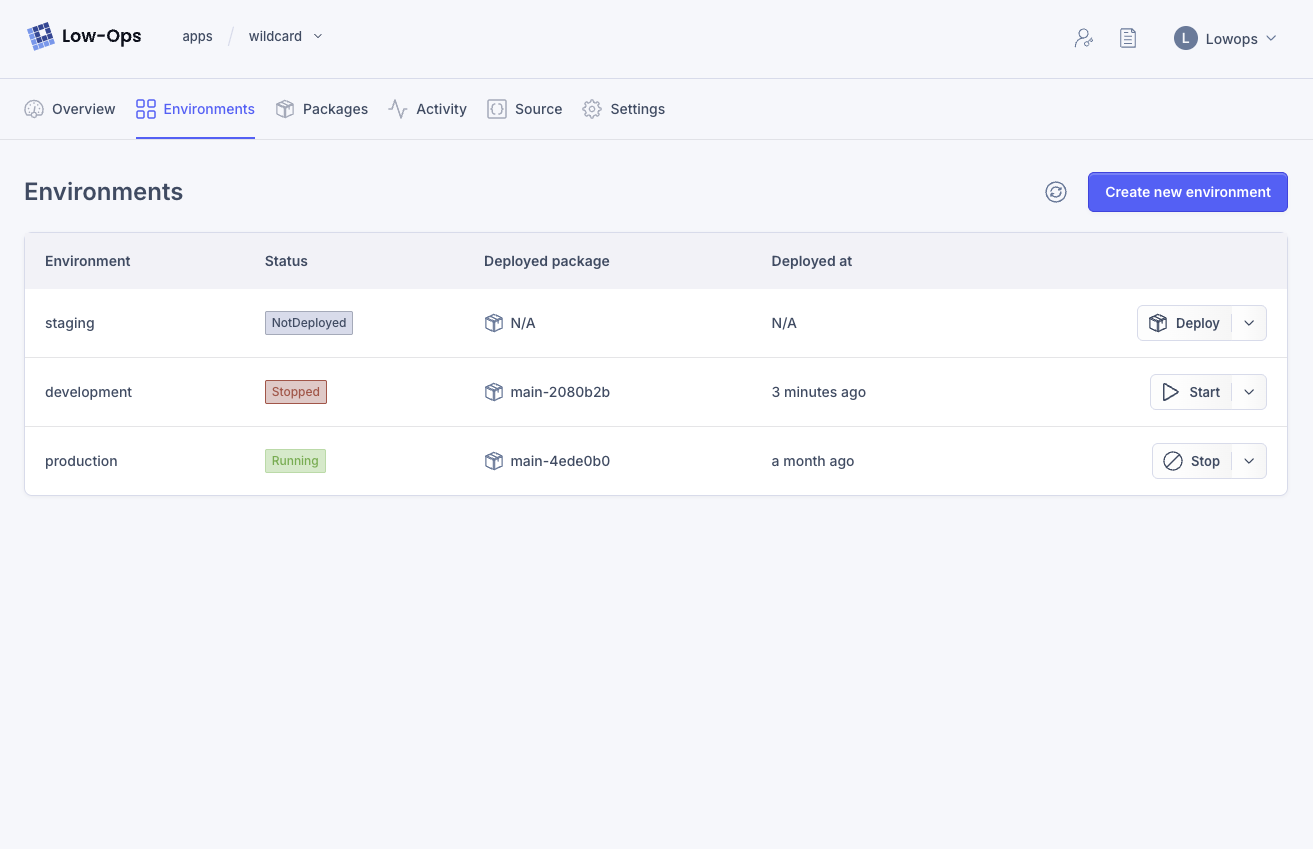
Environments in the Low-Ops.AI portal
02

Deploy it

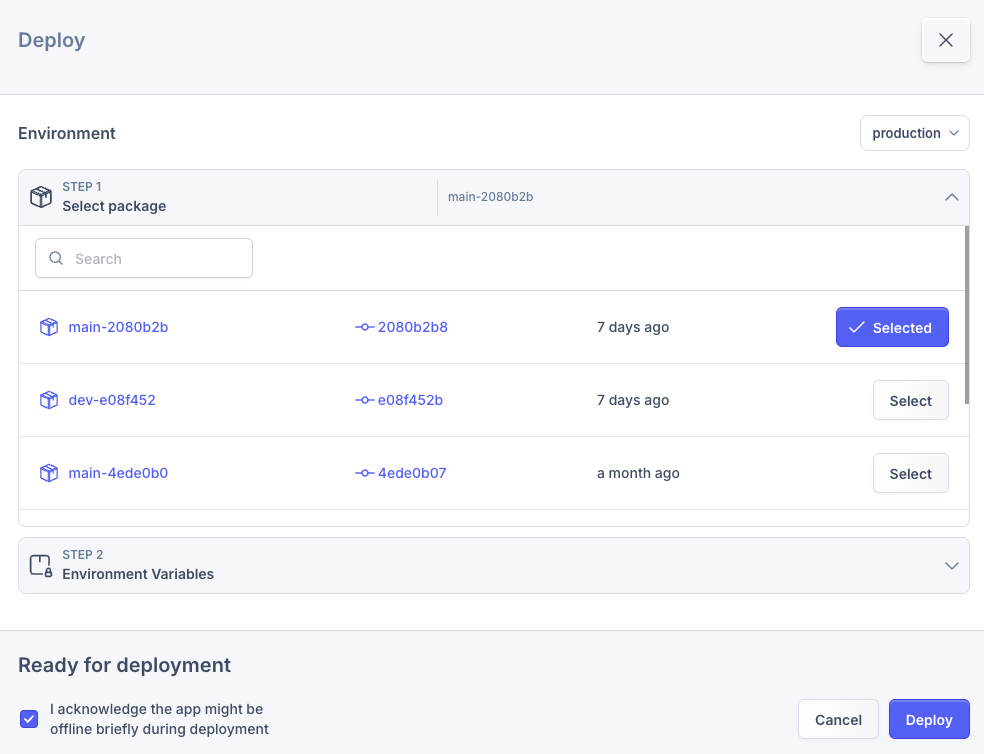
Create the app in the portal, pick a package, and deploy to development, staging or production. Pipelines, backing services and hosting come up with it.

Deploying a package in the Low-Ops.AI portal
03

Show end-user SSO

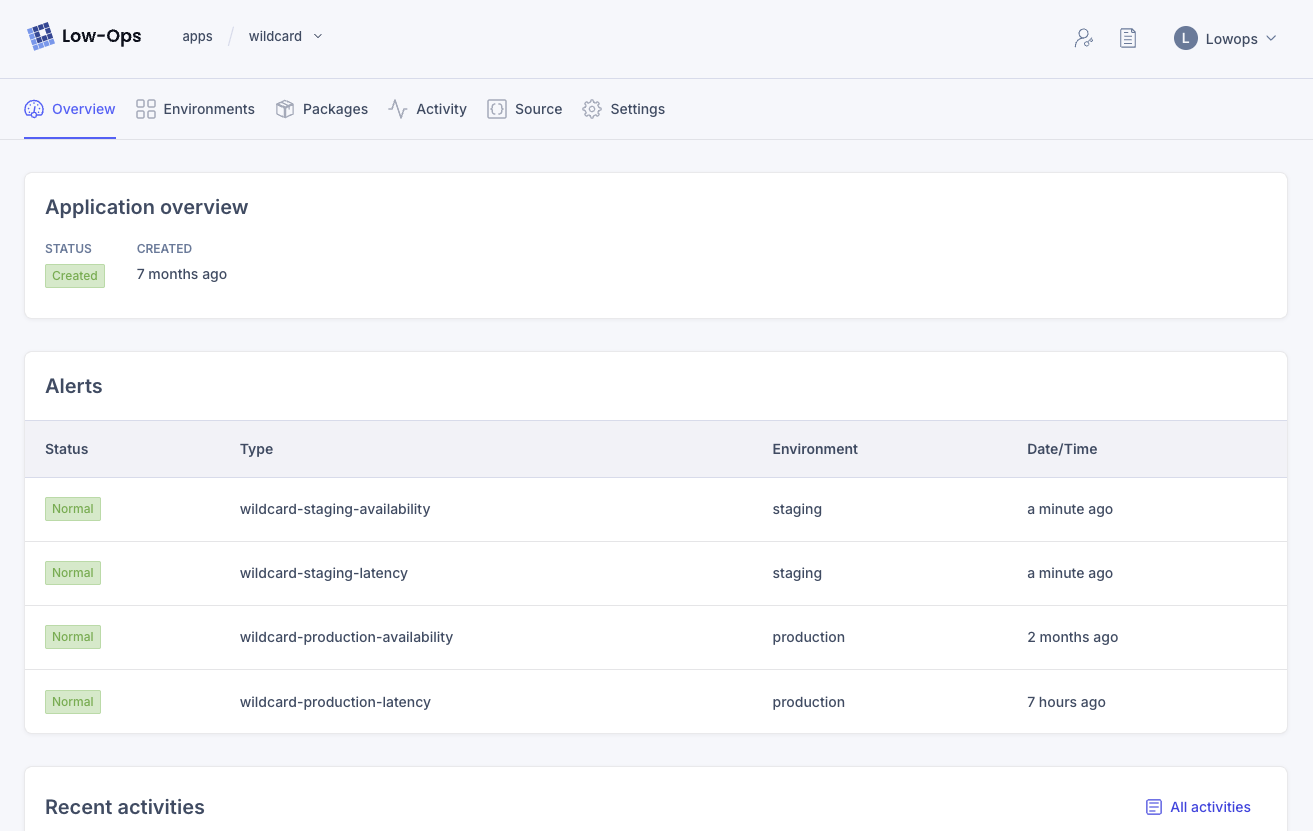
The running app is reachable on the corporate network. Access follows teams and roles from your identity provider.

Application overview in the Low-Ops.AI portal
04

Inspect ownership, audit history and recovery

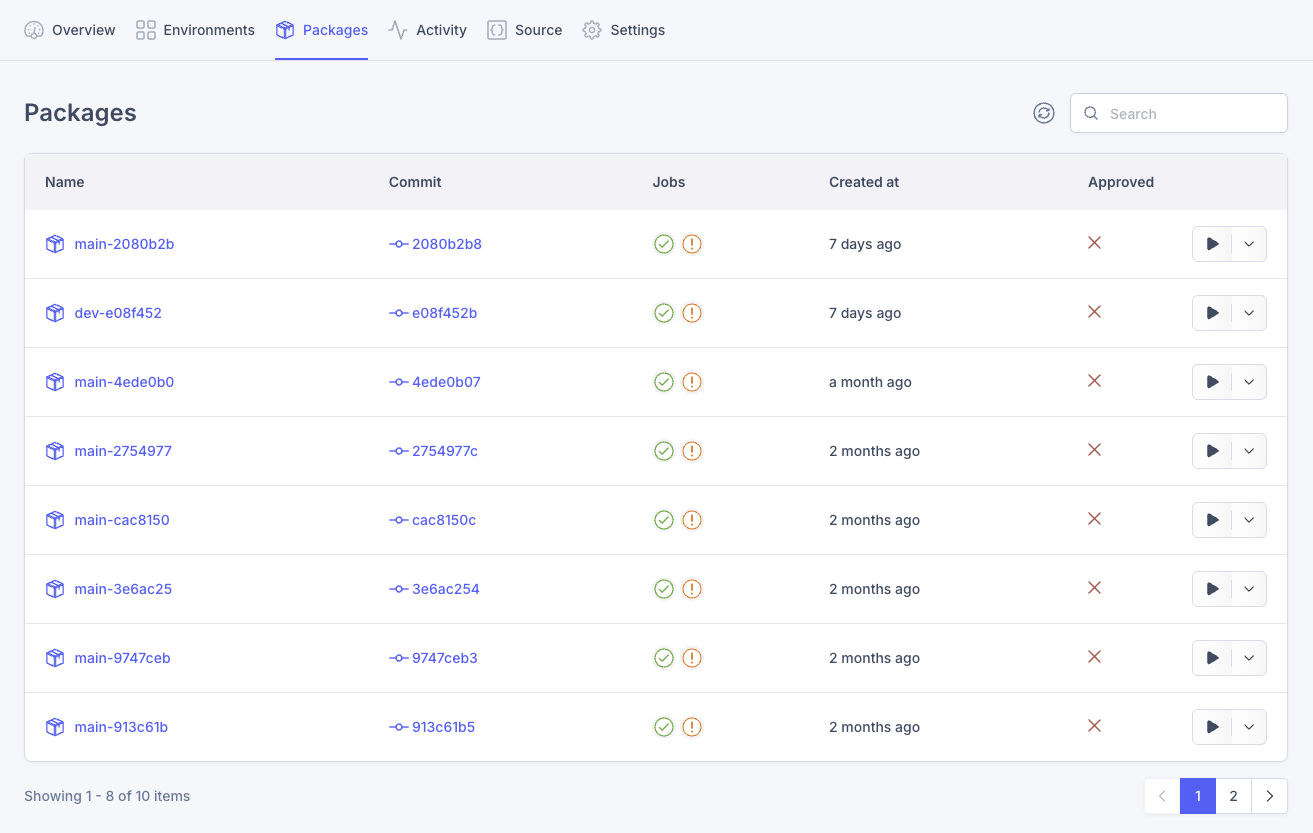
Every app has an owner, environments, packages traced to commits, and an audit log. Restore a database or redeploy a previous package when you need to roll back.

Packages and build history in the Low-Ops.AI portal